
Terraria Map Viewer &
World & Player Editor online
View Terraria maps and edit Terraria and tModLoader worlds (.wld, .twld) or player files (.plr) directly in your browser.


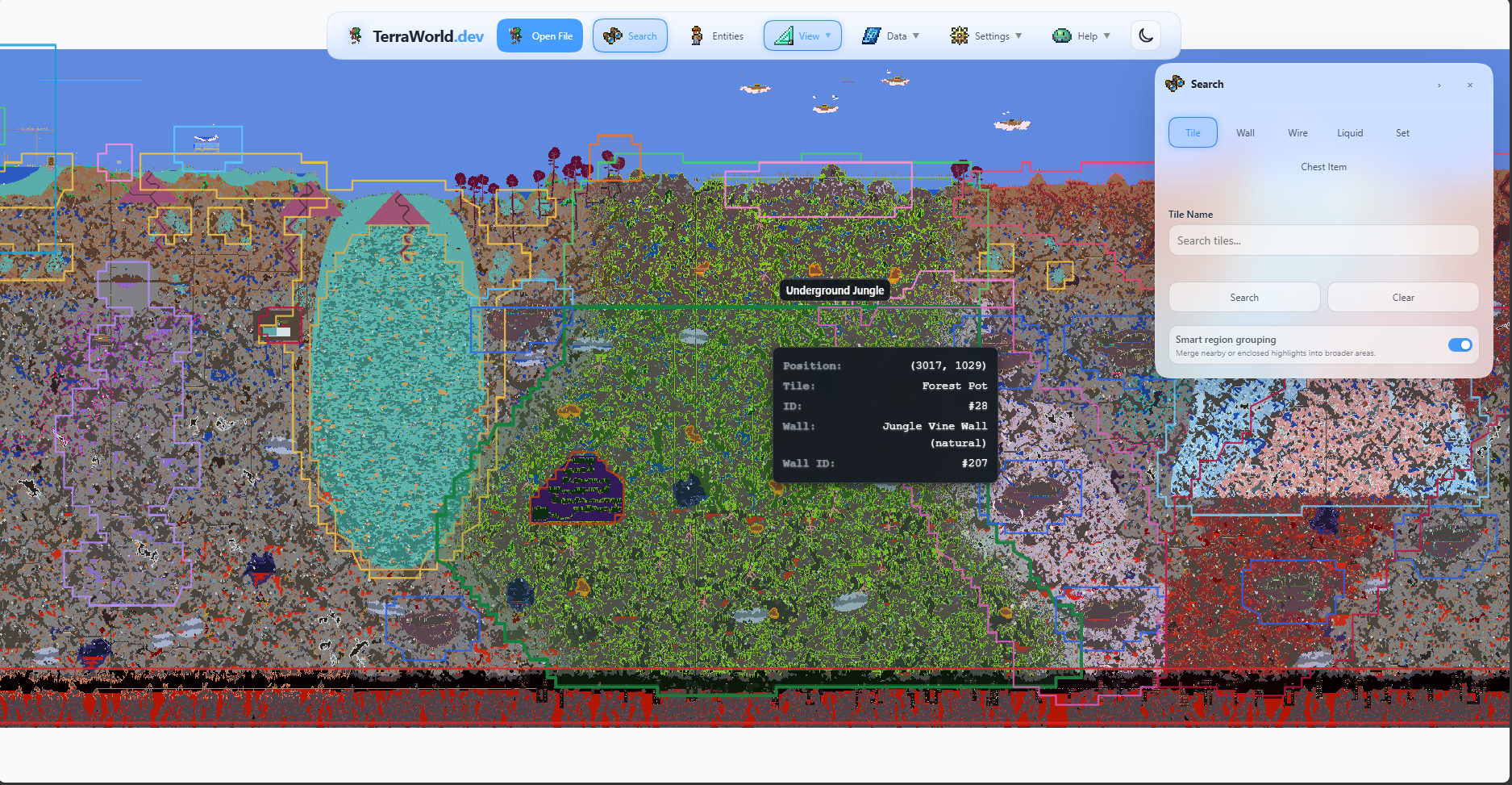
 View and edit worlds World Editor Explore maps, find chests and items, use Real View, make edits, and export a new world.
  Edit your character Player Editor Edit appearance, equipment, items, accessories, stats, and other character data.
TERRAWORLD.DEVFOR EVERY TERRARIAN
Guides & Walkthroughs
Practical articles for managing Terraria saves, exploring worlds, and using TerraWorld tools.
 8 min read
Terraria player Editor
Edit Terraria inventory, character stats, appearance and Journey research in your browser. Open .plr saves, manage tModLoader pairs and export a new character file.
How to Edit a Terraria Player File with TerraWorld
Find your .plr file, edit character stats, appearance, inventory, equipment, storage, buffs, and Journey research, then safely put the exported character back into Terraria.
How to Open and Edit tModLoader Worlds in TerraWorld
View and edit tModLoader worlds with TerraWorld. Enable Full tModLoader support for mod textures, item icons, and editing tools for supported modded content.
How to Find Your Terraria Save Files and Create Backups
Learn where Terraria stores your world files on PC, Mac, Linux, and Mobile, and how to safely back them up before editing.
How to Find Chests and Items in Your Terraria World
Find any chest on the map, search every chest for an item, and inspect inventories in regular or tModLoader worlds.
How to Search for Shimmer and the Aether Biome
Use TerraWorld search and map navigation to inspect possible Shimmer locations in a loaded world.
Search Tiles, Biomes, Wires, and Items in a Terraria World
Use Search to highlight tiles, walls, wires, liquids, object sets, and chest items, then move between intelligently grouped regions.
Create Terraria Pixel Art from an Image
Turn an image into Terraria tiles, use Real Art to reproduce more colors with paint, and check how the finished build will look in the game.
How to Export and Share Your Terraria World Map
Export the current map view or a complete Terraria world map as a PNG or SVG file from TerraWorld.
Export, Share, and Import Terraria Builds with Structure Studio
Turn a selected build into a reusable package, choose exactly which data it contains, and add imported structures to the editor clipboard for placement.
Design and Share Terraria Builds with Structure Studio
Design Terraria structures on a dedicated canvas, work safely with layers, and export an open .twpack package that can be shared, placed in a world, or supported by a mod.
View Your Terraria World with Real View
Learn how to use Real View backgrounds, texture distance, blending, lighting, liquids, paint, and animation on regular or low-end devices.
How TerraWorld works
A local workflow from opening a save to testing an exported copy.
- 1
Choose a Terraria 1.4.5.8 .wld file and, for a modded world, its matching .twld companion.
- 2
Inspect the rendered map, search saved tiles and chest contents, or use the supported editing tools.
- 3
Export a new world file and test that copy in Terraria before replacing your main save.
World parsing, rendering, and editing run locally in your browser. TerraWorld does not upload the selected save file.
Built for practical world exploration
From map inspection and item search to supported editing and data export.
What is a .wld file?
A .wld file is Terraria's standard world save. TerraWorld reads supported 1.4.5.8 data including tiles, walls, chests, NPC records, signs, and world properties.

What is .twld format?
A .twld file stores tModLoader companion data alongside a matching .wld. TerraWorld can read supported mod tile, NPC, and item data; compatibility varies by mod and save.
Pixel Art Tool
Convert images into Terraria tiles with size controls and palette matching. Copy to clipboard and paste anywhere in your world for map art, logos, banners, and builds.
Your character, your way
Open your Terraria character in Player Editor and adjust your save directly in the browser.
Edit your character
Adjust appearance, health, mana and character stats.

Edit items
Manage inventory and equipment, change item stacks and modifiers.

Edit buffs
Manage active buffs and adjust their duration.
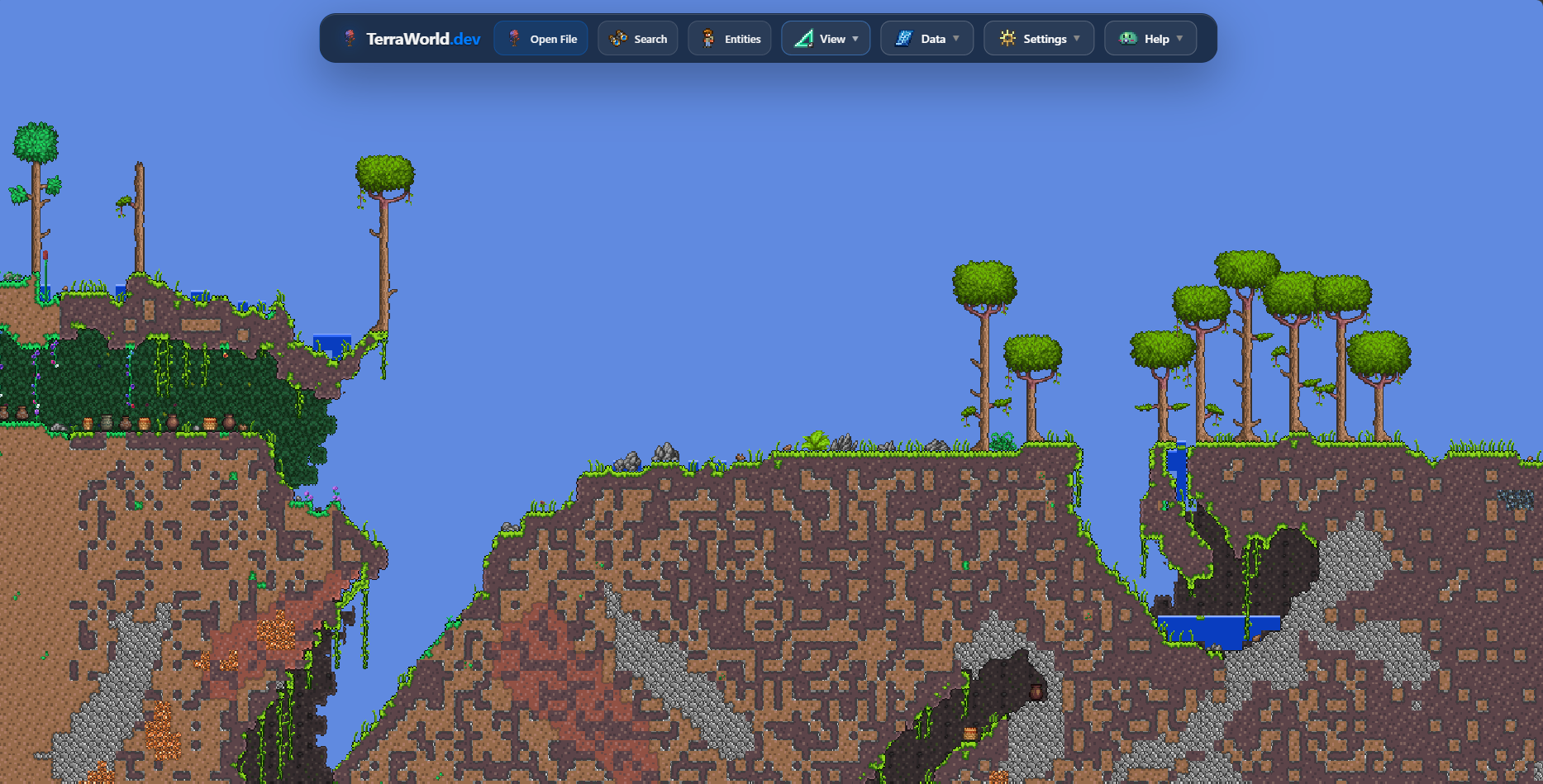
See your world with Real View
Switch from the color map to Terraria textures when you zoom in. Real View makes terrain, walls, liquids, trees, objects, paint, and lighting easier to recognize while you explore a world.
- Textures appear automatically at a useful close-up zoom level.
- Choose tile, wall, liquid, paint, lighting, and animation layers.
- Low-end support reduces the amount of detail prepared at once on mobile and older devices.
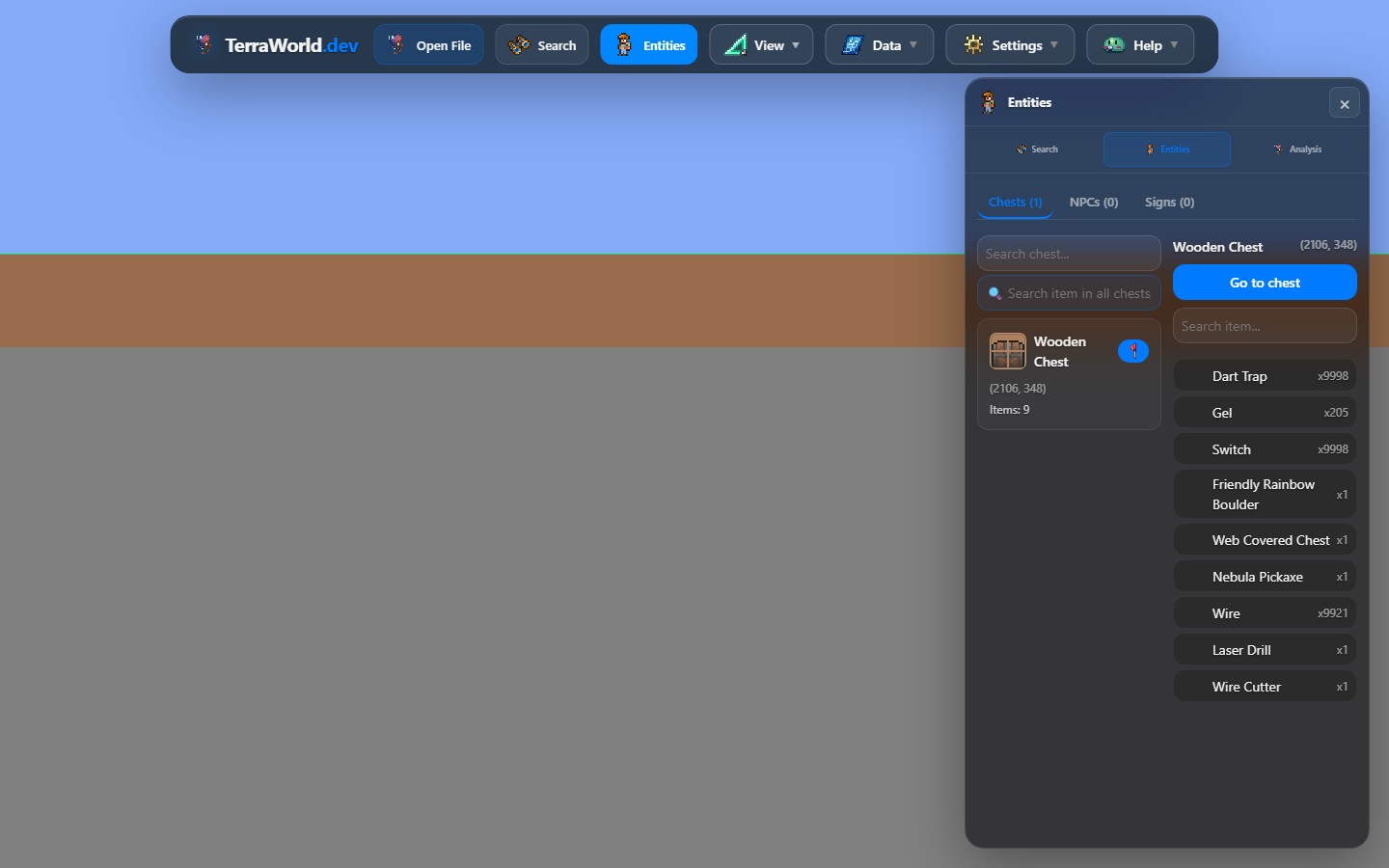
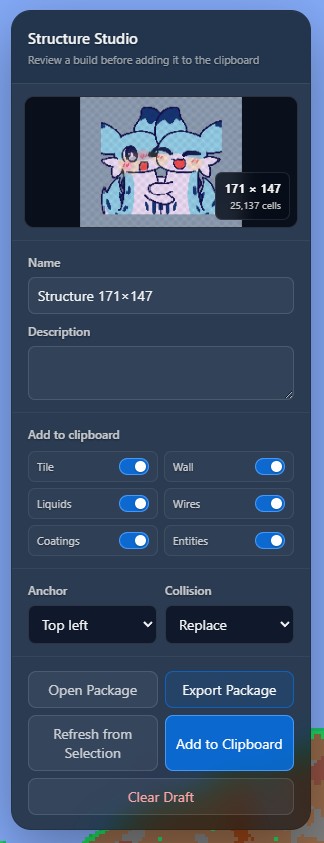
See the actual tools
Explore some of the tools currently available in TerraWorld.
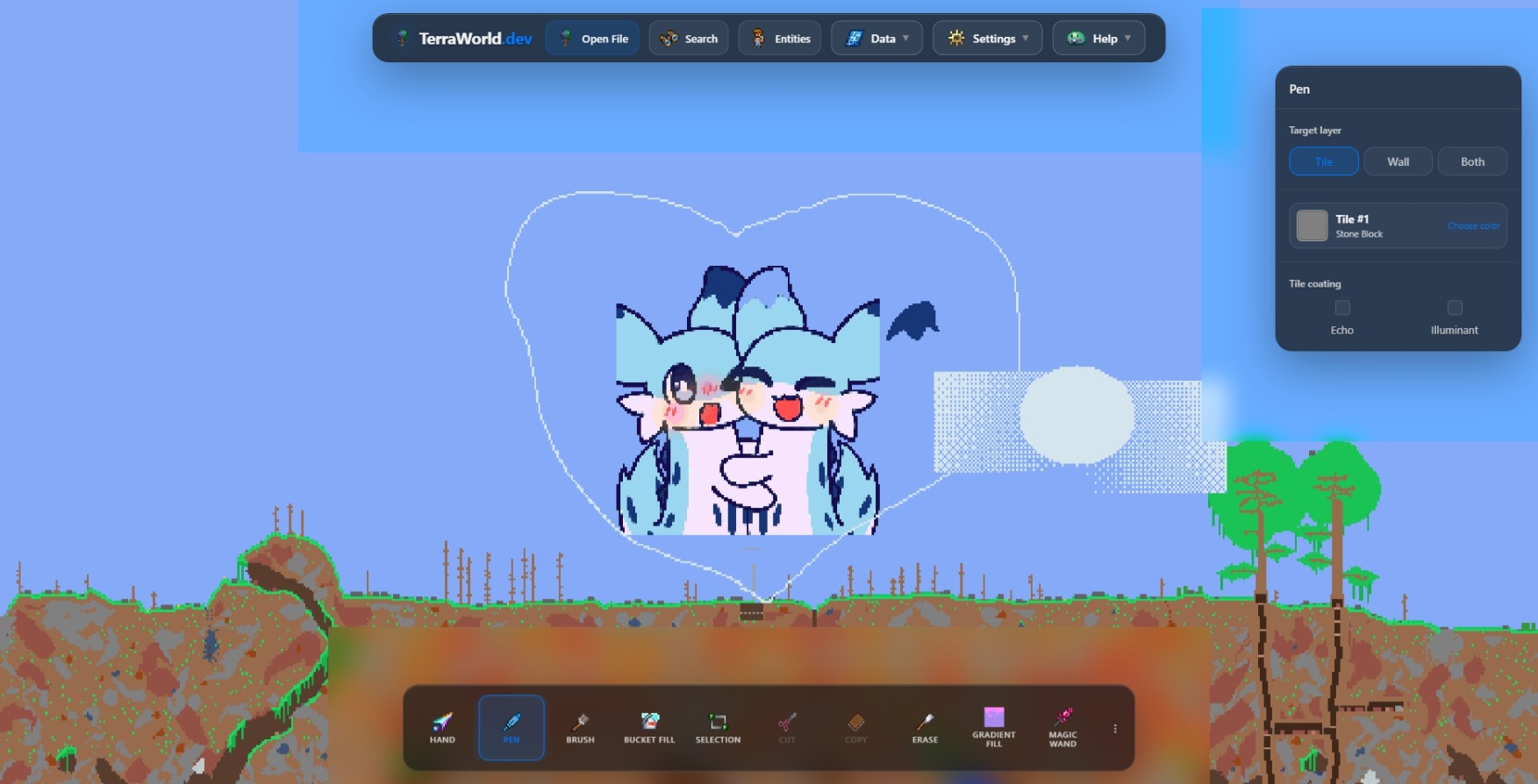
Inspect maps and make careful edits
TerraWorld.dev is a browser-based viewer and editor for local Terraria world files. It focuses on inspectable map data, saved entities, searches, supported edits, and exports without requiring a desktop installation.
- ✓Drag and pan the map in all directions
- ✓Zoom in and out with smooth scaling
- ✓Search tiles and saved items across chests
- ✓Inspect chests, NPC records, signs, and world properties
- ✓Group search matches into regions and move quickly between results
- ✓Review tile information and textured map details
- ✓View supported tiles, walls, liquids, paint, and lighting with Terraria textures in Real View
- ✓Use supported edits with undo and redo history
- ✓Export a new world file or map image
- ✓Prepare reusable builds in Structure Studio
- ✓Convert a local image into a tile-based pixel-art draft
There are many other amazing features waiting for you to explore.
Explore saved world data
Review the spawn point and saved NPC positions, search chest inventories, and move directly to matching results while planning a route through the world.
Review supported tModLoader data
Open a .wld together with its matching .twld companion to inspect supported mod tiles, NPC records, and items. Results vary with the mods and data stored in each save.
Prepare and share builds
Convert local images into tile-based drafts, review structures before adding them to the clipboard, and export map images or reusable build packages.
Available features
Support for Terraria 1.4.5.8 and tModLoader worlds.
| Feature | VVanilla .wld | MtModLoader .wld + .twld |
|---|---|---|
| Open a world | Supported | Supported |
| View and navigate the map | Supported | Supported |
| Real View textures | Supported | Partial |
| Search chests and items | Supported | Partial |
| Edit tiles and walls | Supported | Partial |
| Export .wld | Supported | Partial |
| Preserve .twld with mod-safe export | Not applicable | Partial |
Real View uses Terraria textures for recognized vanilla content; unknown mod content may fall back to map colors or IDs. Mod-safe Edit Mode protects mod-owned cells and exports a ZIP containing the edited .wld plus the updated .twld companion. Exact mod TileEntity and ItemIO fields can be edited when their metadata is proven; frame-dependent and unsupported serializers remain locked. Keep an untouched backup and test the exported pair before playing.
Browser compatibility
TerraWorld runs in modern desktop and mobile browsers without an installation.
Supported on current Chrome releases for desktop and Android.
Supported on Chromium-based Edge for desktop and mobile.
Supported on current Safari releases for macOS, iPhone, and iPad.
For large worlds and Real View, a current browser version and sufficient free device memory provide the best experience.
Ready to explore your world?
Open a local save file to inspect its map, search it, and use the available editing tools.
Open World Editor