

Locating Rare NPCs, Ores, and Shimmer in Terraria
Use tile search for Shimmer, Plantera bulbs, Life Fruit, and ore; use Entities only for NPC records that actually exist in the loaded world file.

Know what the world file can reveal
TerraWorld can search tile records already saved in a world, including ore, Life Fruit, Plantera's Bulb, and blocks around the Aether. The Entities panel can list saved NPC records. It cannot predict a bound NPC that Terraria has not spawned and saved yet, so an empty NPC result is not proof that the character cannot appear later.
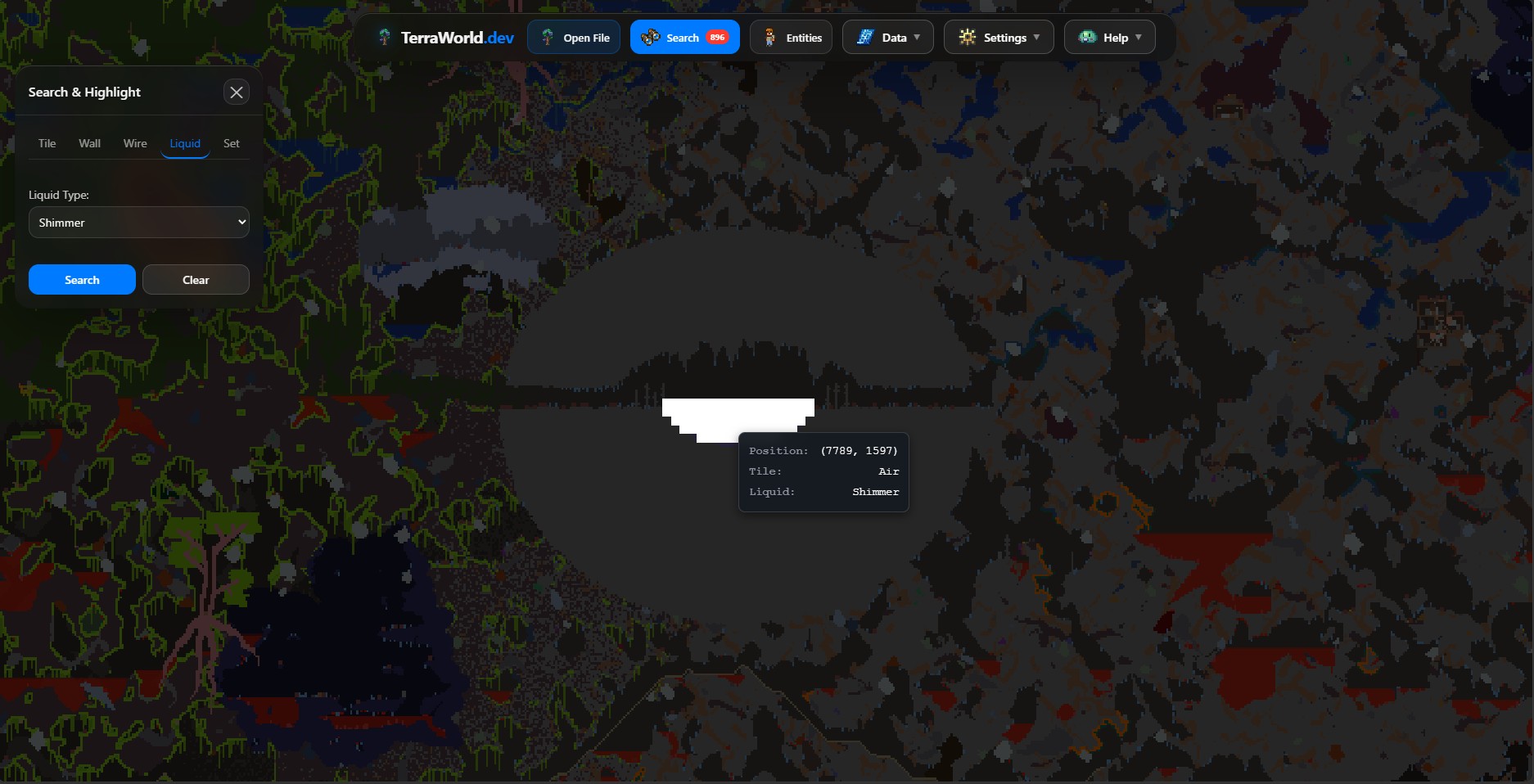
Search for a rare tile or ore
- Open the world and wait until the map is interactive.
- Open Search and enter the in-game name or tile name.
- Run the search, then use Next and Previous to move between highlighted regions.
- Zoom in and compare the surroundings with your in-game map before digging.
Aether and Shimmer
Search for Shimmer or Aetherium Block, depending on the entries available in the loaded version. Look for a meaningful cluster in the cavern layer on the Jungle side of the world.
- A liquid match identifies Shimmer cells; surrounding blocks help identify the larger area.
- Modded generation may not follow vanilla placement rules.
Plantera's Bulb and Life Fruit
Search their exact names and move through the highlighted regions. If nothing is found, check that the world has reached the required progression and that Terraria has generated the object in the save.
- Use the region center as a navigation target.
- Inspect nearby Jungle terrain before choosing a route.
Check saved NPC records
Open Entities and select NPCs. Choose an entry to move the map to its saved coordinates. This works only when the NPC is represented in the file TerraWorld parsed.
- The list can include town NPCs and other saved NPC data.
- A missing bound NPC may simply not have spawned or been saved yet.