

How to Search for Shimmer and the Aether Biome
Use TerraWorld search and map navigation to inspect possible Shimmer locations in a loaded world.

Search before digging
The Aether biome is small, underground, and easy to miss during normal exploration. TerraWorld lets you inspect a loaded map at a higher level first, so you can narrow down possible locations before making a long tunnel in-game. This guide is for locating and inspecting; it does not modify your world file.
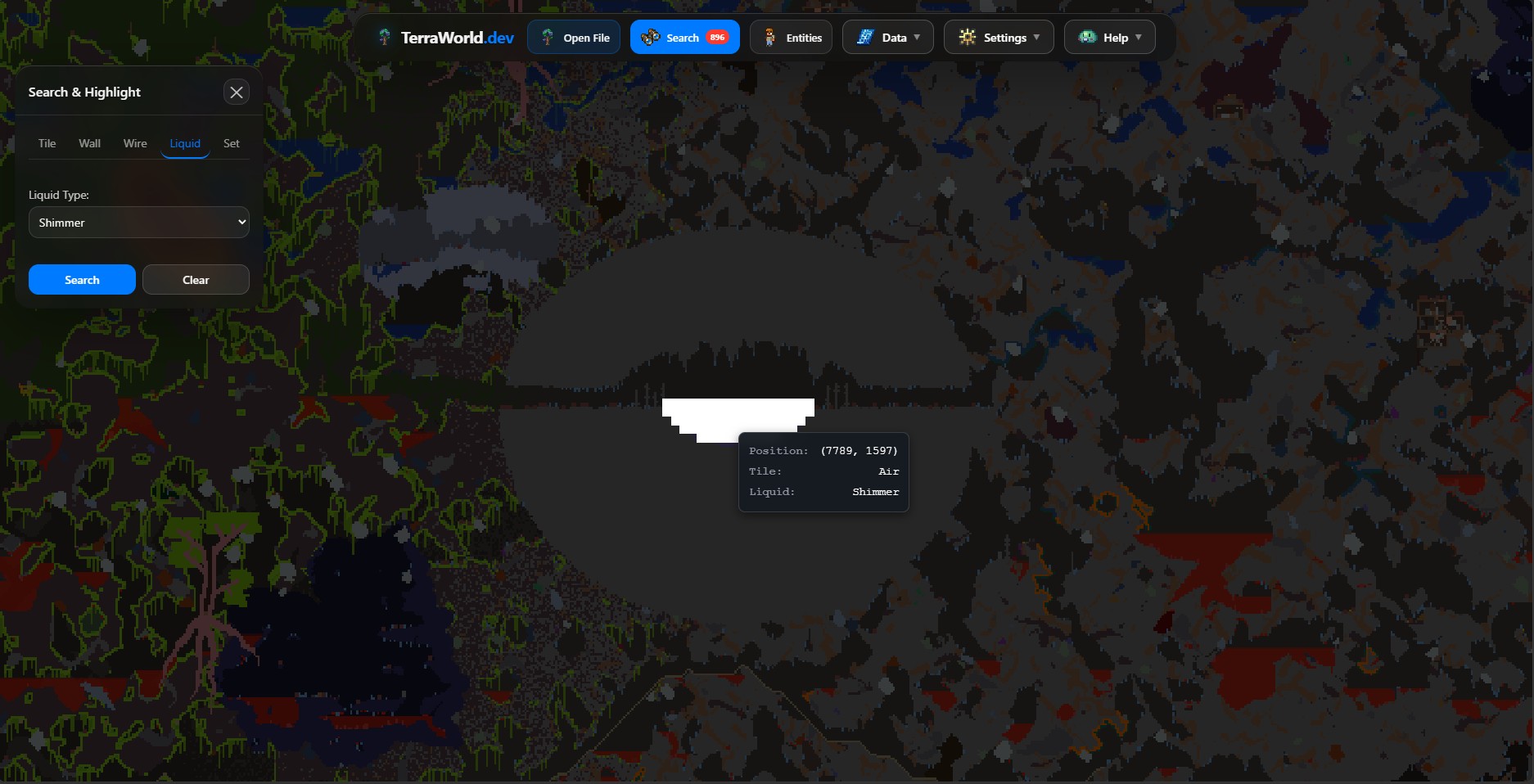
Step 1: Load a local world
Open TerraWorld Editor and choose your .wld file. Wait for parsing and map rendering to finish before opening the search panel. If the world uses modded data, keep the matching .twld file beside the world file when you load it.
Step 2: Open Search
In the app bar, choose Search. The panel is available only after TerraWorld has loaded the world tile data. Search for Shimmer-related entries available in your world data, then apply the result to highlight matching tiles or locations.
Step 3: Inspect the highlighted area
- Choose a result and let the map highlight its matches.
- Zoom in around the matching cluster rather than relying on a single tile.
- Use the surrounding terrain and your in-game map to confirm whether the area is the Aether biome.
Search results are clues, not a replacement for checking the world in Terraria. Tile names and available entries can vary between game versions and modded worlds.
Helpful follow-up
When you want to inspect other hard-to-find structures, use the same workflow for chest locations in the chest location guide. Always keep a backup before replacing any edited save file.